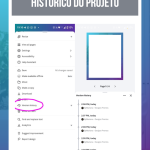




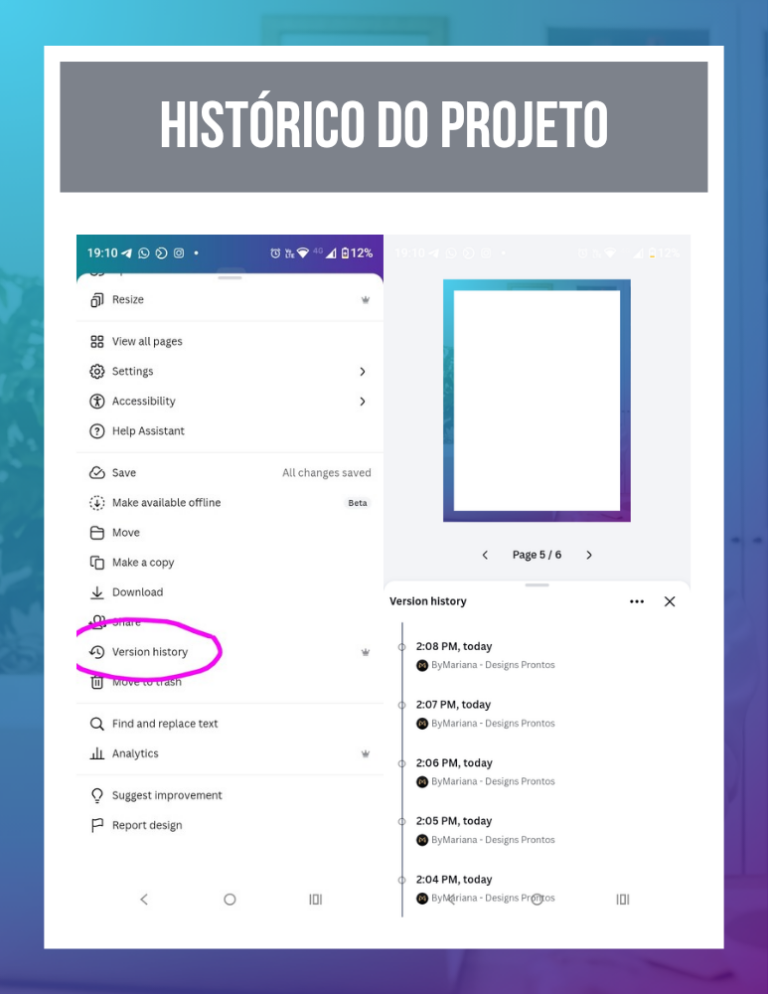
The quick answer: To restore a job that was changed in error or deleted, go to Archive > Version history. The innovation lies in the practical automation of saving your progress in real time, eliminating the despair of losing hours of creation because of a wrong click or an idea you decided to change halfway through.
1. freedom to test without fear
Often we start tinkering with a design and realize that yesterday's version was more harmonious. Innovation lies in being able to “go back in time”. Having access to the history gives you the security you need to test new colors and elements, knowing that your original work is safely stored in Canva's system.
2. How to navigate your creative past
The history works like a timeline of your project. You can see exactly what was done at each time and choose whether you want to restore that old version over the current one or just create a copy to compare the two. It's the practical innovation that saves entire presentations that would otherwise be lost due to a save error or internet outage.
Version history is your best ally when working with a team or partners. If someone makes a change that isn't right, you can identify the correct version and restore the authority of your design in seconds. The practical innovation is to keep full control of your visual assets, no matter who has tampered with the file.
Canva Ultra Fast Course
Complete Canva course. Less than 2 hours to master the tool.