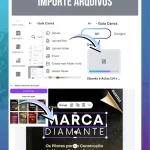




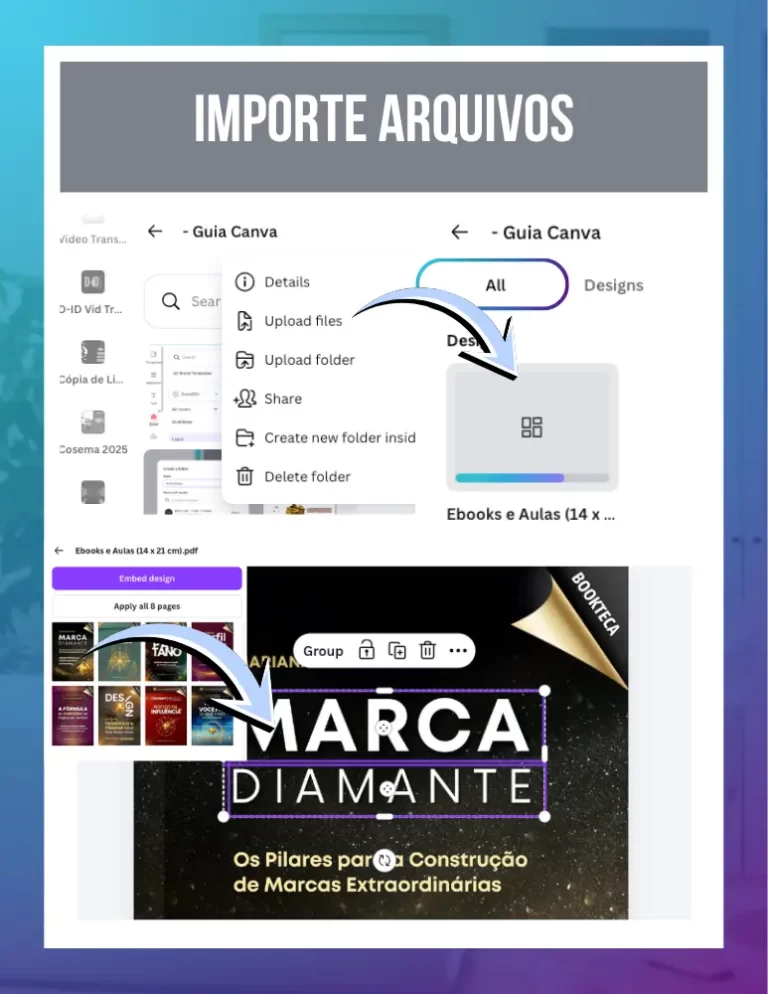
The quick answer: To edit external files, drag the document (PDF, .docx or .pptx) directly onto the Canva home page. The innovation lies in the practical automation of transforming static documents into fully editable layouts, allowing you to update colors and texts of old materials without having to redo the whole job from scratch.
1. Giving new life to old documents
We're here to help you save time with what you've already produced. Often we have e-books or PDF handouts that need a quick update, but the original file has been lost. The innovation lies in Canva's intelligent reading: it identifies what is text and what is image, transforming each item into a layer that you can click on and edit as if the design had been born inside the tool.
2. Importing from Word to Design
If you prefer to write raw content in Word, you don't have to suffer copying and pasting loose sentences. When you import a .docx file, Canva organizes the text and lets you turn it into a presentation or a Canva Docs. This eliminates the tedious part of initial formatting and leaves you free to focus solely on the visual and strategic part of the material.
Not every PDF will be 100% editable if it is just a scanned image. In these cases, the practical innovation is to use the PDF as a base and use AI tools (which I show in the lessons in Chapter 7) to cover old information and overlay new text cleanly, without the need for complex editing software.
3. Turning Presentations into Minutes
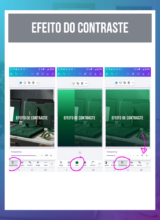
If you have old PowerPoint presentations (.pptx), importing allows you to apply your current branding to all the slides at once. You bring in the file, select your Brand Kit and ask Canva to swap the old colors for the new ones. It's the practical innovation that turns dated material into a modern sales asset in a matter of seconds.
Canva Ultra Fast Course
Complete Canva course. Less than 2 hours to master the tool.