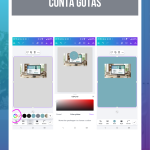




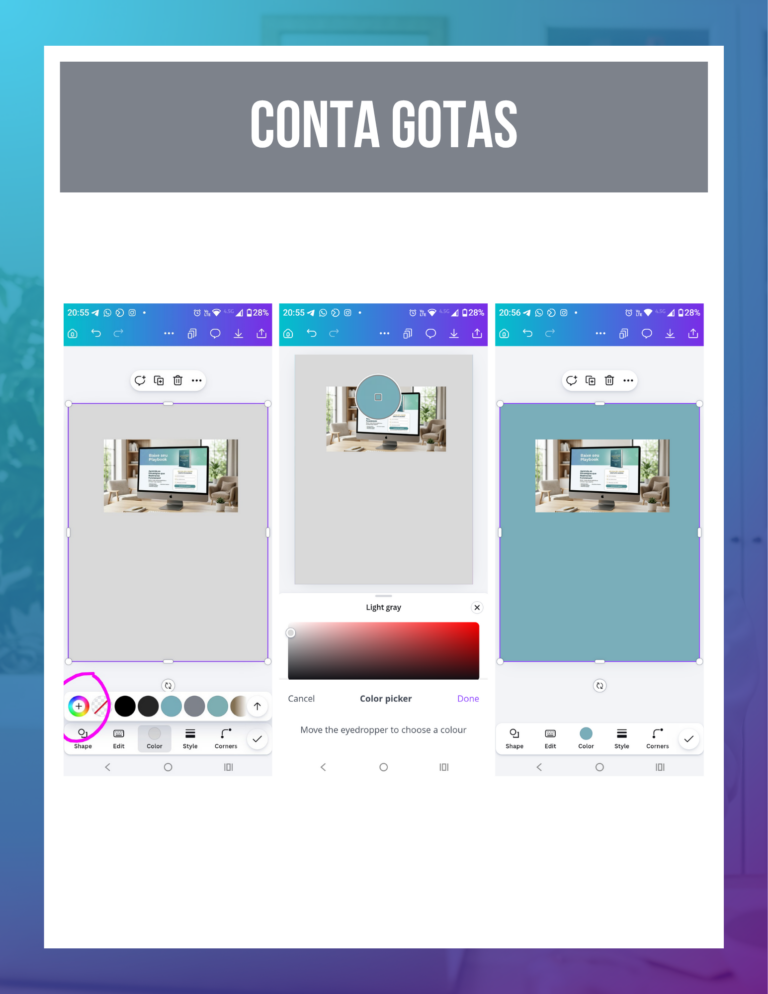
The quick answer: To copy an exact color from a photo or inspiration, select an element, open the color panel and click on the “+” (Add new color), selecting the instrument Dropper. The innovation lies in the practical automation of extracting tones from professional photographs, ensuring that the elements of your design match perfectly with the central image of your artwork.
1. Harmony between photo and design
In everyday life, it's very common to use a beautiful photo from a professional shoot and not be able to find a text color that matches the setting. The innovation lies in “stealing” a color from the image itself. If you're using a nature photo, use the eyedropper to pick up the exact shade of a leaf or the sky. This creates a deep visual connection that makes your post look like a single, planned piece, rather than disconnected elements pasted onto the screen.
2. Fast and precise execution
The process eliminates any trial and error in the manual search for colors. By activating the dropper and taking it to the point in the image you want, Canva identifies the exact code and applies it to your element on the spot. The practical innovation is ideal for when you want your caption to have the same exact color as an accessory you're wearing in the photo, such as lipstick or a piece of clothing, reinforcing your personal brand in a subtle and elegant way.
Whenever you upload a new photo to the project, Canva automatically generates a palette called “Photo colors” in the side panel. The practical innovation here is to use this ready-made palette as a starting point for creating backgrounds and details. This ensures that the design is already born in harmony with the central image, saving you the time you would spend adjusting tones manually.